
Music Remover accepts a local video or audio file, or a direct public HTTPS link to one. Local uploads have a 100 MiB limit. Media uses third-party model processing. Uploaded files are available for 30 days, and processing results are available to download for 30 days after generation. Check the source, choose your download format, and save the files you need before they expire.
Which files can I upload?
| Input | Accepted formats | Available results |
|---|---|---|
| Video | MP4, MOV, MKV, AVI, FLV, WMV, TS | MP4 with the separated voice, plus separate audio tracks |
| Audio | MP3, WAV, M4A, AAC, FLAC | Separated tracks in AAC, MP3, WAV, M4A, FLAC; voice and background tracks |
The local upload limit is 100 MiB, or 104,857,600 bytes. This is a file-size limit, not a recording-duration limit. A short video can still be too large. If you prepare a smaller copy, check that it still contains the passage and sound you need to process.
The file must also contain readable media. Changing its extension does not convert its contents. An accepted extension does not guarantee that every player can preview the source or that a damaged recording can be processed. Keep the original file when preparing a different version.
What happens when I upload a local file?
The application checks the file information and obtains a temporary upload address. Your browser then uploads the file directly for third-party model processing. The media file itself is not stored in the application's database.
This processing takes place online. The application stores account information, file metadata, and task records, including the file name, media type, status, and temporary result links. Only submit recordings you have permission to use for third-party model processing.
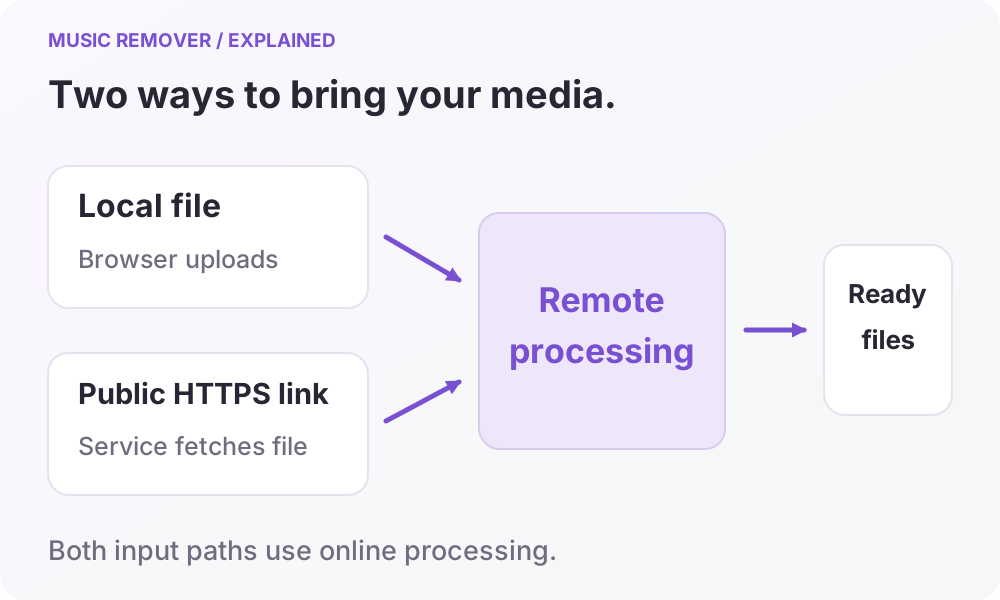
What counts as a direct media link?
The link option requires a public HTTPS address that points to the video or audio file. The processing service must be able to fetch the file without your browser's signed-in session. A streaming watch page, a private share page, or a link requiring a login is not a substitute for a direct accessible media file.
When you submit a direct link, that address is passed to the processing service for fetching. It does not make the source local or private to your device. If the link does not meet the requirements, use a supported local file you are entitled to upload. The 100 MiB check applies to local uploads; it does not certify the size of a remotely linked file.
How long can I keep the files in my account?
| Item | What to expect |
|---|---|
| Uploaded files | Available for 30 days |
| Result download links | Available to download for 30 days after generation |
| Account task history | A record of tasks, not permanent storage for the media |
Input copies from local uploads or public media links are used to execute the task. The 30-day availability period does not promise that all processing copies are deleted when it ends. Keep your original files and do not use the processing workflow as an archive. Files at an external source URL remain under that source's control; the uploaded-file availability period does not apply to those original files.
The application's history and download endpoints require the task owner's account. That access check does not turn a temporary result into an archive. A history entry can remain after a media link has expired. Temporary media links may also grant access to anyone they are shared with, so treat them carefully.
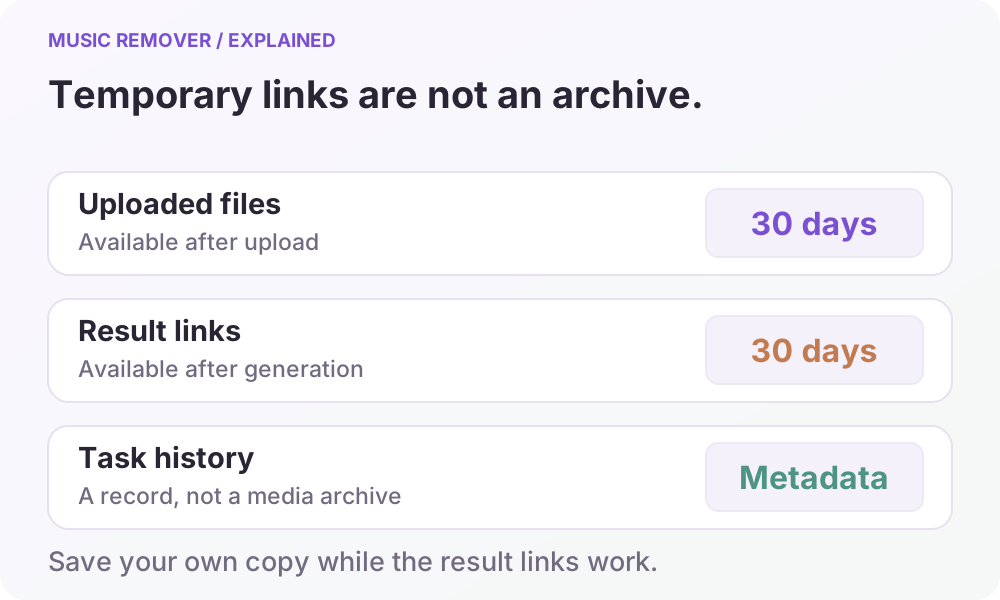
Download the files you need before they expire, confirm that the saved files open, and keep a copy of the source. The tool does not promise immediate deletion of all processing copies or permanent availability of processed files.
Keep the page open until the upload finishes and the task is queued. Voice separation and video assembly then continue in the background even if you close it. Return to My processed files to check progress and download results before the temporary links expire. Processing availability is shown by the uploader. The homepage's synthesized listening sample demonstrates track comparison; it is not your uploaded file, a live result, or proof of processing quality.
Read the privacy policy for processing and retention details, or contact support about a task.